The Debate Room
Table of contents
Screen Layout
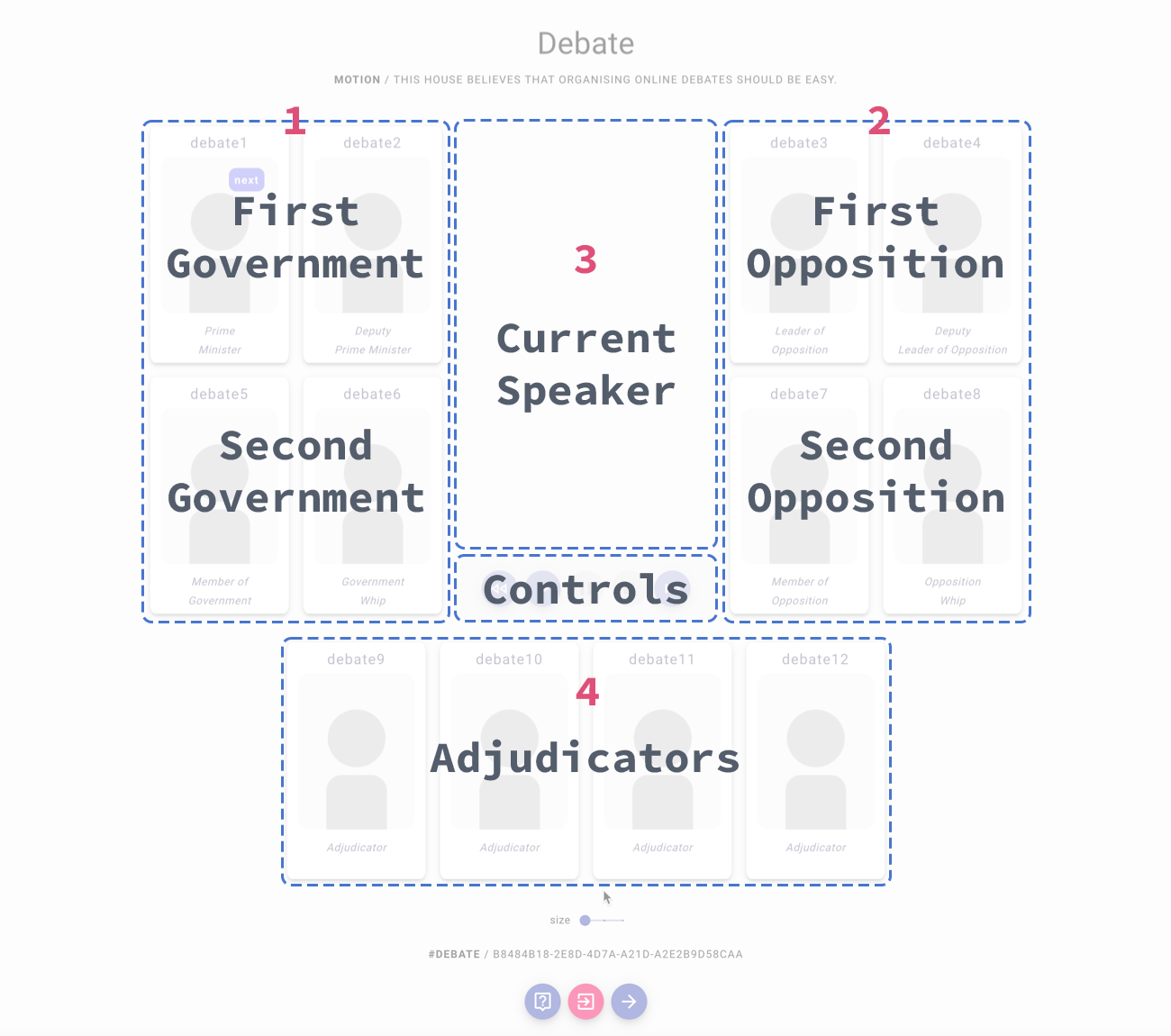
The Debate Room is divided into three areas:
- Government side
- Opposition side
- Adjudicator area
Adjudicators see additional controls to manage the speech timer, pick the next speaker, and advance to the Evaluation stage.
In-Room Controls
The control bar at the bottom of the Debate Room includes (depending on your role):
- camera and microphone toggles
- Debate — open the Motion Drawer to reread the motion at any time
- speaker controls (play / pause / stop / forward / back) for adjudicators
- I’m done — the current speaker, in debates chaired by an AI adjudicator; ends your own speech
- Evaluation (arrow) — adjudicators only; advance to the Evaluation stage
- End debate — adjudicators only; terminate the debate for everyone, with a confirmation step
- Leave — leave the debate. If you are not an adjudicator, the debate continues without you.
The Ballot is not available here. Scores are entered during the Evaluation stage, once the speeches are over.
Banners
Short notices appear above the control bar as the debate progresses — who the room is waiting for, the count-in before a speech, the AI transcription notice, and the countdown before the room hands over to Evaluation. See In-Room Banners.