AI Adjudicators
Some debates on debate.club have an AI adjudicator on the panel. This page describes what that means for you as a participant: how to tell, what you are asked to agree to, and what changes in each room.
Table of contents
- Two Kinds of Panel
- How to Tell
- Consenting to AI Processing
- In the Lobby
- In the Debate Room
- In the Evaluation Room
- When Your Results Arrive
- If the AI Disconnects
Two Kinds of Panel
An AI adjudicator sits in one of two seats:
| Seat | What it means |
|---|---|
| Chair | The AI runs the debate. It moves the debate between stages, manages the speaking order, and produces the result. |
| Wing | A human chair runs the debate exactly as usual. The AI sits alongside the human adjudicators and contributes to the evaluation. |
Which of these applies — or whether a debate has an AI adjudicator at all — is fixed when the debate is created. You do not choose it when you sign up or join, and it cannot change mid-debate. Most Open Debates are one or the other, and the sign-up flow is identical either way.
How to Tell
Two things give it away:
-
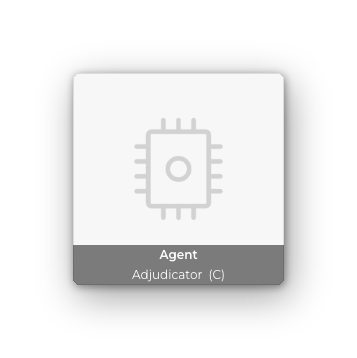
The badge. The AI adjudicator holds an adjudicator seat like anyone else, but shows a distinctive avatar image instead of video, and is named Agent with the usual seat tag — Agent (C) when it chairs, Agent (W) when it sits as a wing.
-
The transcription notice. During the Debate stage, everyone sees an information banner:
AI is transcribing this debate
You can close the banner; it does not change anything.
Consenting to AI Processing
In a debate with an AI adjudicator, speeches are transcribed and evaluated by AI. Because that is processing of your voice, you are asked to agree to it before you can take part.
The request appears in the Join-Device dialog when you enter the room:
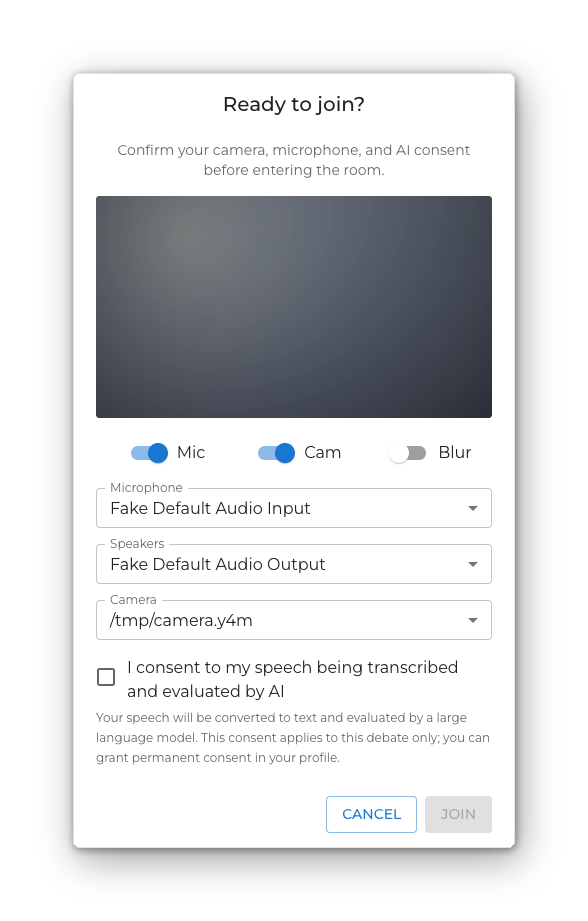
Join stays disabled until you tick the box.
Ticking it here covers this debate only. If you would rather not be asked every time, grant permanent consent in the Consents section of your profile — the dialog then shows a short confirmation instead of a checkbox, and Join is enabled straight away. Permanent consent can be withdrawn from the same place at any time.
The debate cannot move from one stage to the next until everyone taking part has agreed. If a participant has not, the room is told so that they can act on it.
In the Lobby
When the AI chairs, nobody presses the Preparation arrow. Instead the Lobby shows a vote banner, and the debate moves on once everyone in the room has voted:
- While roles are still being set, the banner reads Organizer is assigning roles and the button is disabled.
- Once roles are assigned it reads Roles assigned. Ready to proceed? — click Ready to proceed when you are. The button turns into Retract if you change your mind.
- As votes come in the banner counts them: Roles assigned. 3 of 4 are ready to start preparation.
- When everyone has voted, it counts down: 4 of 4 ready — starting prep in ~5s.

The Chair role cannot be assigned to a person in a debate the AI chairs — the seat is already taken. It appears greyed out in the role menu.
In the Debate Room
The AI chair manages the speaking order, but it does not start your speech for you. You start your own, from the You’re up next dialog or the play button — see Speaking. When you have finished, press I’m done in the navigation bar so the AI can move the floor on.
In the Evaluation Room
The human adjudicators on the panel get a vote banner of their own:
Done scoring? Finish the evaluation early.
Press I’m done scoring once you have entered your feedback. The banner counts the panel — 2 of 3 adjudicators are done scoring — and the evaluation closes as soon as everyone is done, rather than waiting out the full window. Not done yet retracts your vote.
When Your Results Arrive
In a debate with an AI adjudicator, the result is not ready the moment the debate ends. The transcript is evaluated afterwards, which takes a while.
Until it finishes, the debate’s card on your home page shows:
Evaluating · results by 14:30
When the evaluation completes you receive an email and an in-app notification, and the card fills in with the winner, your score, and your per-criterion ratings (Evidence, Clarity, Strategy, Engagement). If you happen to have the home page open at that moment, the card updates itself — you do not need to reload.
Debates without an AI adjudicator have no waiting period: the chair enters the scores and the result is final immediately.
For what those numbers mean — the four dimensions, the 1–5 scale, and how the written feedback is put together — see How the AI Evaluation Works.
If the AI Disconnects
The AI adjudicator can drop out of a room the same way a person can. When that happens the room shows:
Reconnecting the AI adjudicator…
It usually comes back within a few seconds and the banner clears. If it does not, what happens next depends on the seat it held:
- It was the chair. There is no human chair to take over, so the debate ends: The AI chair could not reconnect — the debate has ended.
- It was a wing. The debate carries on without it: The AI adjudicator could not reconnect — the human chair will continue.