Reporting a Participant
If someone’s behaviour in a debate makes you feel unsafe, harassed, or bullied, you can report them. A report mutes that person for you straight away and creates a record for the debate.club team.
Table of contents
Making a Report
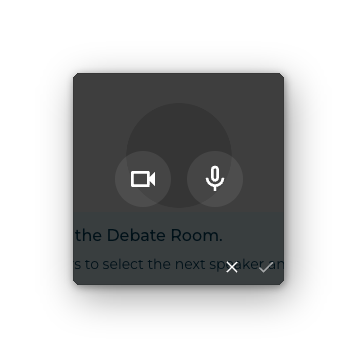
The report control lives in the same overlay as the audio and video controls. Open it on the participant’s badge:
- Desktop — right-click the badge.
- Mobile / touch — press and hold the badge.
Alongside the two large camera and microphone buttons there is a third button with a red warning triangle. Click it.
A confirmation dialog appears:
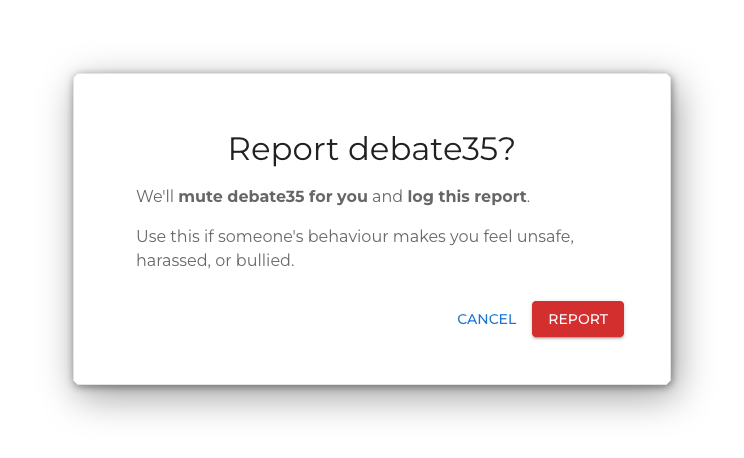
Click Report to confirm, or Cancel to back out.
You cannot report yourself, and you cannot report an AI adjudicator.
What Happens Next
Confirming does two things:
- Mutes them for you. Their audio and video are paused on your device immediately. This is a local mute like any other — it does not affect what anyone else sees or hears, and the person is not told about it.
- Files the report. A short confirmation appears: Report submitted.
If the report could not be filed, the message tells you so — Couldn’t submit the report — they’re still muted for you. — and the mute stays in place either way.
The person is not notified that you reported them, and they are not muted for the room. If you also want them silenced for everyone, an adjudicator has to mute or force-mute them.
The local mute lasts for the room you are in. Moving to another room or another stage rebuilds the badges, so re-apply it there if you need to.
Reviewing Your Reports
The Reports section of your profile has two lists.
Reports created by me — every report you have filed, showing who you reported, when, and which debate, room, and stage it happened in. If the debate has since been removed, the entry reads (debate no longer available).
Reports about me — reports other people have filed about you. These show the date only. Who reported you is never revealed.
Both lists load more entries as you scroll. If there is nothing to show, the section reads No reports about you.